Picking the Right Model Is the Whole Game
Here's the thing about AI image generation in 2026: the tool you pick matters way less than the model you use inside it. New models drop almost every week, each one claiming to be the most photorealistic thing ever. Most of them aren't.
I spent the last few weeks running every major model through the same prompts — same settings, same expectations — to see which ones actually hold up. Not just for one type of image, but across the board: photorealism, editing, graphic design, artistic styles, and text rendering.
What I found is that there's no single "best" model. There are about seven or eight that are genuinely good, and each one has a specific thing it does better than the rest. The trick is knowing which one to reach for when.
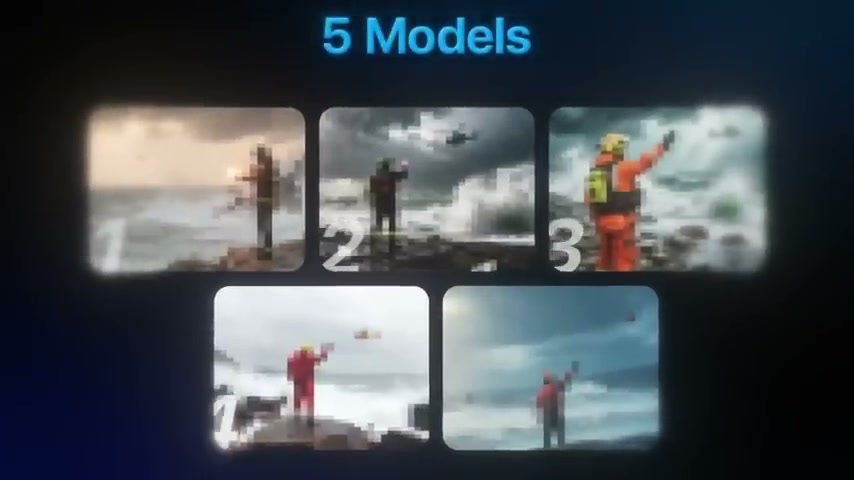
Best for Generation from Scratch: Seedream 4.0
If I had to pick one model as my daily driver for generating images from nothing, it'd be Seedream 4.0 by ByteDance. It's the kind of model you can honestly think of as a jack of all trades — throw almost anything at it and it comes back looking solid.
What stands out is the overall composition. When I ran a cinematic rescue scene prompt through it, the result looked noticeably better than several competitors. The reflections on wet stones, the way the helicopter was positioned in the frame, the lighting through storm clouds — everything felt more natural and believable. Not in a "wow, look at this AI image" way, but in a "this could be a movie still" way.
It's also fast, which matters when you're iterating. And here's the kicker: Seedream is roughly four times cheaper per image than some of the bigger-name models like Nano Banana. If you're generating a lot of images daily or working across multiple projects, that adds up quickly.
The skin textures are impressive too. I tested it with a fashion editorial prompt — a model wearing futuristic ice crystal makeup with cold blue lighting — and the natural skin texture underneath the frost elements was something a lot of other models just can't pull off. They tend to smooth everything into that uncanny plastic look. Seedream doesn't.
Best for Editing: Nano Banana (Google)
Nano Banana is Google's entry, and while it generates solid images from scratch, where it really shines is editing. This model understands simple, conversational prompts in a way that feels almost unfair.
I generated a stormy rescue scene, then uploaded the result and typed "turn the man so that his face is visible." That's it. No complex prompt engineering. Seconds later, the person was realistically rotated toward the camera — feet, body position, everything looked natural and consistent with how someone would actually turn around. No weird morphing, no artifacts.
Then I pushed it further: "make the weather calm and sunny." The entire mood of the image transformed. Same person, same rocks, same helicopter in the distance, but now it's a bright, peaceful day. The consistency between edits is what makes Nano Banana special. It doesn't drift or lose track of what's in the image.
The pro version supports up to 4K resolution, and it handles text inside images well — something most models still struggle with. If your workflow involves a lot of back-and-forth refinement rather than one-shot generation, this is the model to use.
Best for Photorealism: Juggernaut XL & OpenArt Photo Realistic
These two models both nail realism, but in very different ways.
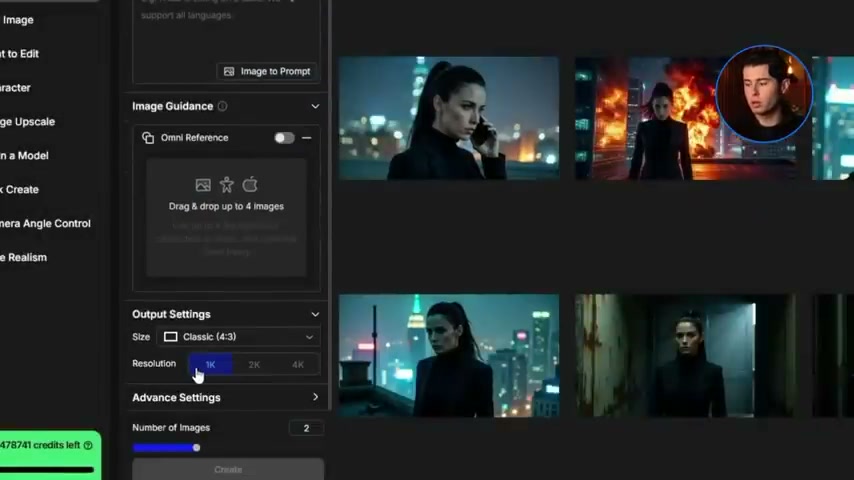
Juggernaut XL is a custom version of Stable Diffusion tuned specifically for photo realism. Its biggest strengths are realistic skin details, cinematic lighting, and that professional "pop" you normally only get from a high-quality camera. When I ran the universal test prompt through it — a woman sitting at a cafe table near a window on a rainy afternoon — the result was hard to distinguish from a genuine photograph. The reflections on the window glass looked natural, the depth of field was handled properly, and the subject was sharp while the background had that soft cinematic blur you'd expect from a real lens.
Even when I pushed it outside its comfort zone with a fantasy prompt, it produced polished concept art that followed the instructions closely. Strong reliability.
OpenArt Photo Realistic takes a different approach. Instead of cinematic drama, it gives you images that look like someone pulled out their phone and snapped a picture. No overly dramatic lighting, no surreal elements. Just a casual photo taken by someone in the real world.
This sounds like a downside, but it's actually a huge advantage for certain use cases. If you need images that pass as genuine everyday photos — for social media, for character consistency across a series, or for anything where "too polished" would look suspicious — this model is unmatched. The water looks realistic, the wet stones look natural, and the people don't have that fake 3D doll-like quality that plagues so many generators.
The key difference: Juggernaut gives you a professional photographer's output. OpenArt Photo Realistic gives you your friend's iPhone snapshot. Both are incredibly useful, but for different reasons.
Best for Editing Existing Images: Flux Context Max
Flux Context Max isn't really about generating random images from text. It's an editing-focused model designed to listen to your prompts and make precise changes to existing images while keeping everything else identical.
I tested it with a photo of a Ferrari 488 — uploaded the image, then prompted it to place the car on a rainy Monza racing track, change the color to yellow, and add sponsor stickers. The result was fantastic. The shape, proportions, and details of the car were preserved perfectly, but now it was bright yellow, covered in decals, sitting in the rain on what looked like a professional racing track.
That level of precision is what makes Flux valuable. It might not always be the top choice for pure photo realism from scratch — the baseline images lean toward a warm, slightly filtered look — but if your workflow involves tweaking, improving, or transforming existing assets, it's one of the most useful tools in the lineup. Product mockups, marketing visuals, alternate ad concepts, website assets — this is where Flux earns its keep.
Best for Text Rendering: Imagen 4
Text has always been the Achilles' heel of AI image generators. Glitched letters, scrambled words, gibberish that looks vaguely like language but isn't. Imagen 4 from Google is the first model I've tested that actually fixes this.
I ran two text-heavy prompts. First, a minimalist billboard in Times Square with glowing neon text that says "Testing AI Models." Four variations, and every single one came out with perfectly clean text — no misspellings, no distorted letters. The neon glow effect looked natural and the words stayed consistent across outputs.
The second test was harder: a high-fashion magazine cover with a bold headline ("Future Vision") and a sub-headline ("The Age of AI"). This is usually where models completely fall apart — fonts get warped, words break, styling goes off. Imagen 4 nailed it. The typography was elegant, properly italicized, and perfectly styled. It genuinely looked like something an art director designed in InDesign, not something an AI generated.
If you're creating posters, ads, social media graphics, or anything that needs readable text baked into the image, Imagen 4 is currently the model to beat.
Best for Artistic & Stylized Work: Hunuan Image 3
Not everything needs to look like a photograph. If you're after concept art, illustrations, or anything with a deliberately artistic feel, Hunuan Image 3 is worth knowing about.
What makes it interesting is how well it handles really detailed, long prompts. I tested it with a rich fantasy scene — a crystal cavern lit by bioluminescent fungi, with specific lighting and atmosphere descriptions — and the result looked like a poster or concept art piece made by a professional designer. Not photorealistic, but that's the point.
It's also fully open source, which means no restrictions on who can use it. And it works across a wide range of artistic styles: oil paintings, anime, 3D renders, poster art. If you're looking for images that look like someone actually drew or rendered them, this is your model.
The trade-off is that it's not great at photorealism. When I ran the standard rescue scene prompt, the output leaned more toward a stylized poster aesthetic — the helicopter didn't look quite real, and the person's positioning felt more like an illustration than a photo. But for its intended use case, it's excellent.
Best for Graphic Design: Ideogram V3
Ideogram V3 is specifically built for people who create posters, covers, thumbnails, quote cards, and other graphic design work. It's not trying to compete on photorealism — and that's fine, because that's not what you'd use it for.
I tested it with a poster prompt: "Design a vertical poster of a Tokyo traveler under the rain with bold headline text 'Lost in Tokyo', smaller subtitle 'A Night in the Neon City', clean layout, strong typography, ready for print." The results were genuinely usable. Clean layouts, readable text, strong visual hierarchy.
If you're a graphic designer who needs quick mockups, or you're creating social media content that needs to look designed rather than photographed, Ideogram is the right tool. It's not going to win any photorealism contests, but it produces graphic design outputs that you can actually use as starting points — or even as finished pieces.
Quick Reference: Which Model for What
| Use Case | Go-To Model | Why |
|---|---|---|
| All-purpose generation | Seedream 4.0 | Versatile, fast, great value |
| Editing existing images | Nano Banana (Google) | Simple prompts, consistent edits |
| Cinematic portraits | Juggernaut XL | Professional lighting, skin detail |
| Casual/realistic photos | OpenArt Photo Realistic | Looks like real phone photos |
| Transforming assets | Flux Context Max | Precise edits, preserves originals |
| Text in images | Imagen 4 (Google) | Clean typography, no glitches |
| Concept art & illustration | Hunuan Image 3 | Long prompts, open source, artistic |
| Graphic design | Ideogram V3 | Posters, thumbnails, layouts |
What About Midjourney and ChatGPT?
You might notice some big names missing from this list. Midjourney v7 is still excellent for artistic quality — it produces richly detailed, cinematic images that look like professional concept art. If aesthetic quality is your top priority and you don't mind the Discord-based workflow, it remains a strong choice at $10-60/month depending on your plan.
GPT Image generation through ChatGPT is probably the most accessible option for casual users. The conversational iteration is genuinely useful — you can describe what you want, see the result, and refine it through natural conversation. It's included with ChatGPT Plus at $20/month, which makes it hard to beat on convenience.
Adobe Firefly is still the safest bet for commercial projects where copyright matters, since it's trained exclusively on licensed content. And if you want maximum control with no usage limits, running Stable Diffusion locally via ComfyUI gives you capabilities no hosted service can match — custom workflows, LoRA fine-tuning, inpainting, outpainting, all free.
The Bottom Line
The AI image generation space in 2026 isn't about finding one tool that does everything. It's about knowing which model to reach for based on what you're making. Need a quick edit? Nano Banana. Generating from scratch? Seedream. Need text in the image? Imagen 4. Designing a poster? Ideogram.
The models are good enough now that the bottleneck isn't the technology — it's knowing which tool fits the job. Hopefully this saves you the hours of testing I put in.
Last updated: February 2026
Related: Best AI for Writing · Best AI Tools for Work